Insider Spotlight
Announced Thursday in New York, the feature allows users to upload flat image files and automatically convert them into structured, layered designs within the Canva editor.
The capability aims to bridge a persistent gap in generative AI design tools, where outputs often arrive as fixed images that cannot be easily modified.
The company says Magic Layers is powered by its proprietary Canva Design Model, part of a broader push to embed artificial intelligence deeper into visual communication workflows.
Why it matters
The rise of generative AI has produced an explosion of visual content, but much of it is trapped inside static image files. Making even minor changes often requires generating a new image from scratch, which can alter the original design unexpectedly.
Magic Layers is intended to turn those finished outputs into starting points instead of dead ends, allowing teams to refine designs without restarting the creative process.
“There's been an explosion of AI-generated content that has, until now, been a dead end. You'd get a finished image you couldn't edit, refine, or make your own. We think AI should spark creation, not stop it,” Cameron Adams, co-founder and chief product officer of Canva, said in a press statement on March 12. 2026.
“After a breakthrough from our AI research team, we’re introducing Magic Layers so anyone can take a flat image and turn it into a fully editable design inside Canva. There's no need to start over, or to figure out the right prompt. Generation is just the beginning—real creative freedom comes from being able to edit without losing momentum.”
How it works
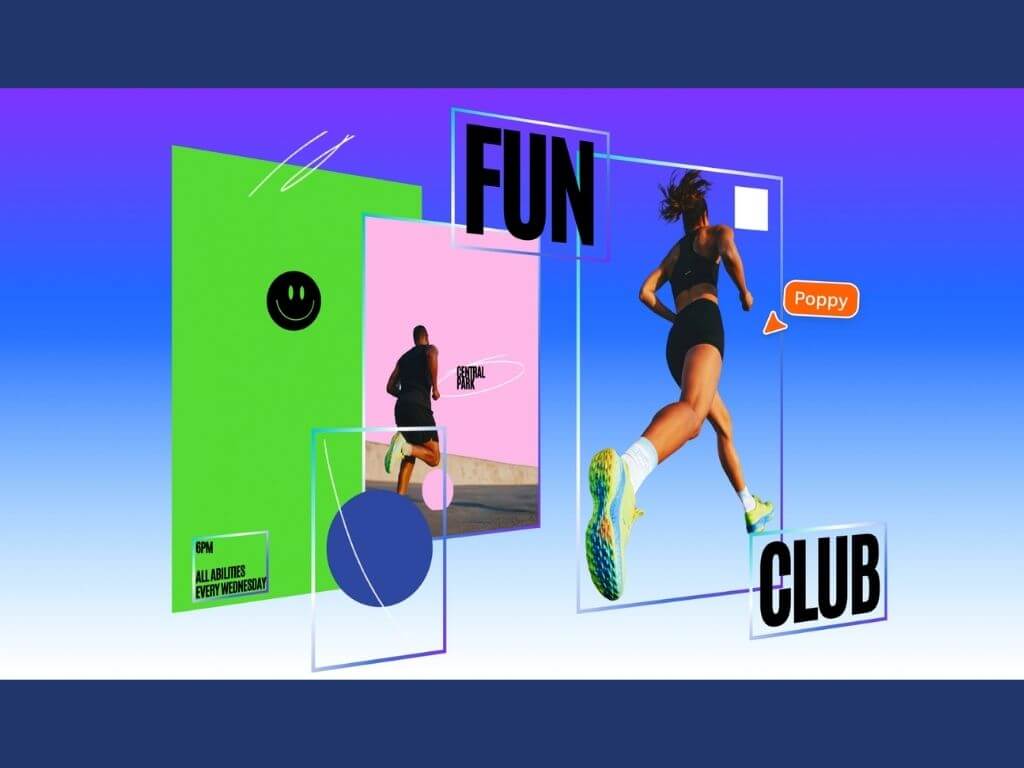
Magic Layers analyzes an uploaded image and reconstructs its design structure inside the Canva editor.
The system identifies individual elements, separates them into movable objects, restores text as editable fields, and preserves the layout relationships between components.
Users can then reposition elements, replace backgrounds, and update fonts while maintaining the integrity of the original design.
The feature currently supports single-page PNG and JPG files in beta.
Behind the technology
Traditional vector tracing tools convert pixel shapes into outlines but cannot interpret what those shapes represent.
Magic Layers instead analyzes the image as a complete design system, identifying relationships between elements such as headlines, objects, and backgrounds. The result is an editable layout that preserves the intent of the original design.
What’s next
Magic Layers began rolling out in public beta across the United States, United Kingdom, Canada, and Australia starting today, with global availability expected later.
The feature also builds on Canva’s broader AI ecosystem, which already powers integrations with ChatGPT, Claude, and Microsoft Copilot. —Vanessa Hidalgo | Ed: Corrie S. Narisma